Showing posts with label Final. Show all posts

Thursday, November 29, 2012

GO Launcher EX v3.21 Final

GO Launcher EX v3.21 Final
Requirements: 2.0 and up
Overview: Extended version of GO Launcher, one of the most popular home application.

[break]
GO Launcher EX is the most popular Android home launcher replacement app in Google Play. It offers you many first-ever features to customize your own homescreen experience. Go launcher EX provides you speedy and smooth operation, fancy and plentiful themes, and utility functions with imagination.


Key Features:
? Extremely smooth transition animation
? Smooth flipping operation
? Thousands of personalized themes
? Amazing custom gestures feature offers you more convenience and fun
? Various GO widgets (weather, switcher, calendarÂ?)
? Efficient and strong app management function, including sorting, hide app, search, cleaning memory and refresh.


New features:
– Supports GO Launcher super themes (more homescreen effects)
– Draw patterns to active apps (double click on home screen to active custom gesture)
– Squeezing effect of icons and widgets (Jelly Bean style)
– Drag and swinging icon upward to delete icon or widget.


What’s in this version:
1.(New) Supports more super themes within GO Store (Moon stone)
2.(Improve) Screenshot supports to capture other screens(Requires root permission)
3.(Improve) The option of adding apps to dock(Long press blank space of dock)
4.(Improve) Operation experience of notification settings
5.(Fix) Flicker error when pressing back button in app drawer


This app has no advertisements


More Info:


Code:


https://play.google.com/store/apps/details?id=com.gau.go.launcherex


Download Instructions:
com.gau.go.launcherex-145-v…apk (6,58 MB) – uploaded.to


Mirror:
Download com gau launcherex 145 apk

Wednesday, November 14, 2012

Apex Launcher Pro v1.3.4 Final

Apex Launcher Pro v1.3.4 Final
Requirements: Android 4.0+
Overview: Powerful, fast, and highly customizable home replacement for Android 4.0+.


Apex Launcher helps you create a customized homescreen experience on your Ice Cream Sandwich (Android 4.0) device.


Features:
– Customizable homescreen grid size and up to 9 homescreens
– Scrollable dock with up to 7 icons per page and up to 5 pages
– Infinite & elastic scrolling (homescreen, drawer and dock)
– Fancy transition effects (tablet, cube, etc.)
– Hide elements as you want (persistent search bar, status bar, or even the dock)
– Customizable icons and labels for shortcuts and folders
– Choose different folder preview styles and background
– Multiple drawer styles (transparent/opaque, horizontal/vertical, paginated/continuous)
– Drawer apps sorting (title, install date, mostly used)
– Hide apps from the drawer
– Lock your desktop to prevent accidental changes
– Enjoy homescreen gestures (pinch, swipe up/down, double tap)
– Backup/restore settings and data
– Optimized for both phones and tablets
– Lots of other customization options!


Apex Launcher Pro (Paid Version) Features:
– Multiple configurable drawer tabs
– Unread count notifications
– Dock swipe gestures
– Two finger gestures
– More transition effects
– Batch add option for folders
– Option to merge folder contents
– Widgets in dock (1×1 only)
– Overlapping widgets
– More features on the way!


Note: Due to limitations of the Android framework, you won’t be able to add widgets from the app drawer without root access. If your device is rooted, please enable the Root Helper via Settings > Advanced settings > Enable Root Helper.


Tips:
– Pinch the screen to access screen previews (like Exposé or HTC Sense).
– Long press an icon to drag and drop it over another one to create a folder.
– Long press icons/folders on the desktop and choose edit from the popup menu to customize icons and labels.
– Drag, hover, and drop app icons over the delete button at the top of the screen to quickly uninstall apps.
– Long press an app in the hide apps list to quickly launch that app.
– Switch to single screen wallpaper mode to fix wallpaper zooming issues.
– Enable the Root Helper in advanced settings (root required) to add widgets from the drawer.


Permissions:
– BIND_APPWIDGET: Required to add widgets from the drawer (only if installed as system app).
– CALL_PHONE: Create direct-dial shortcuts on the homescreen.
– EXPAND_STATUS_BAR/SET_WALLPAPER/SET_WALLPAPER_HINTS/VIBRATE: Standard launcher functions.
– INTERNET/ACCESS_NETWORK_STATE: Check for updates and anonymous usage/error reporting (optional).
– WRITE_EXTERNAL_STORAGE: Backup/restore settings and data.
– READ_CONTACTS/READ_SMS/GET_ACCOUNTS/READ_CONTENT_PROVIDER: Missed call and unread SMS/Gmail notifications (pro version).


What’s in this version:
v1.3.4 (Nov 14, 2012)
Fixed FC under Android 4.2
Updated translations


This app has NO advertisements


Release info:
This is patched version, fully unlocked pro funstions.
Please remove all previous versions before installing this.
If your ROM came with Apex Launcher you’ll have to remove it before installing this.


More Info:


Code:


https://play.google.com/store/apps/details?id=com.anddoes.launcher
https://play.google.com/store/apps/details?id=com.anddoes.launcher.pro


Download Instructions:
Download 3Yx LjMuN apk


Mirror:
3YxLjMuN.rar (3,22 MB) – uploaded.to
Download file 3YxLjMuN.apk

Thursday, October 25, 2012

GO Launcher EX v3.18 Final

GO Launcher EX v3.18 Final
Requirements: Android v2.1+
Overview: GO Launcher EX is the extended version of GO Launcher, one of the most popular home apps in Android Market. It’s a highly customizable home replacement application, which will run when you press your android phone’s HOME key. GO Launcher EX supports hundreds of themes, fast flip speed and tons of useful functions.


=About GO Launcher=
GO Launcher is the most popular home app in Android Market. It allows users to customize home screen, change themes, use smooth transition animation as well as various widgets and screen locks. It brings you a fresh and extraordinary mobile operation experience.


=Features=
– Thousands of personalized themes
– Various widgets and screen locks (weather, switcher, calendar…)
– Extremely smooth transition animation
– Smooth flipping operation
– User-defined folder to easily categorize apps
Many options in preferences to help you customize you phone!


=Tips=
1. How to get themes, widgets and lockers?
a) Search ‘go launcher theme’, ‘go widget’ or ‘go locker’ in Android Market.
b) Use GO Store via menu button in GO Launcher.
2. How to set transition animation?
Use ‘Effects settings’ via button in GO Launcher.
3. Icons are too small?
Use ‘Icon Size’ option in ‘Preferences->Visual settings->Icons’ to make icons bigger.
3. Long press the app icon to enter editing mode on home screen and app drawer.
4. Glide up to open menu and glide down to pull down notification.
5. The widgets in the screenshots belong to GO Widget, attainable from Android Market or GO Store.


=Important=
1. GO Launcher is a totally free app without any charge.
2. If you cannot set ‘GO Launcher’ as the default home app, download ‘Home Manager’ to fix it.
3. ‘DIRECTLY CALL PHONE NUMBERS’ permission?
It’s required by the feature to create shortcuts of ‘person’ and ‘direct dial’. GO Launcher won’t make unattended phone call and cost your money.
5. ‘READ CONTACT DATA’ permission?
It’s required by the feature to create ‘person’ shortcut as well as to add contact folder.


Our commitments are respecting user privacy and delivering cool experience. Please help us by rating this app and recommending to the others.


Want an extreme makeover to your phone? Try it out!


Follow Us on


Facebook: GO Launcher EX | Facebook


Twitter: https://twitter.com/#!/golauncher


Owned by and Visit 3G.cn Through Your Mobile.
Copyright 2004-2011 All rights reserved.

Hide Hack By
vFCoders.


Recent changes:
1.(New) Long press blank place of dock to active operation box;
2.(Improve) Reduce installation package size (more than 400KB);
3.(Improve) Modify guide tips of One X (Upgrade One X to 4.04 to fix 3-dots error);
4.(Improve) Supports Notification v2.1;
5.(Improve) Operation experience of homescreen tips.
Less description »


Latest version: 3.18 (for Android version 2.1 and higher)


This app has no advertisements


More Info:


Code:


https://play.google.com/store/apps/details?id=com.gau.go.launcherex


Download Instructions:
http://turbobit.net/fdyema6z8z2v.html


Mirror:
http://rapidgator.net/file/52377764
http://extabit.com/file/28cmpgu09yijq

Apex Launcher Pro v1.3.3 Final

Apex Launcher Pro v1.3.3 Final
Requirements: Android 4.0+
Overview: Powerful, fast, and highly customizable home replacement for Android 4.0+.


Apex Launcher helps you create a customized homescreen experience on your Ice Cream Sandwich (Android 4.0) device.


Features:
– Customizable homescreen grid size and up to 9 homescreens
– Scrollable dock with up to 7 icons per page and up to 5 pages
– Infinite & elastic scrolling (homescreen, drawer and dock)
– Fancy transition effects (tablet, cube, etc.)
– Hide elements as you want (persistent search bar, status bar, or even the dock)
– Customizable icons and labels for shortcuts and folders
– Choose different folder preview styles and background
– Multiple drawer styles (transparent/opaque, horizontal/vertical, paginated/continuous)
– Drawer apps sorting (title, install date, mostly used)
– Hide apps from the drawer
– Lock your desktop to prevent accidental changes
– Enjoy homescreen gestures (pinch, swipe up/down, double tap)
– Backup/restore settings and data
– Optimized for both phones and tablets
– Lots of other customization options!


Apex Launcher Pro (Paid Version) Features:
– Multiple configurable drawer tabs
– Unread count notifications
– Dock swipe gestures
– Two finger gestures
– More transition effects
– Batch add option for folders
– Option to merge folder contents
– Widgets in dock (1×1 only)
– Overlapping widgets
– More features on the way!


Note: Due to limitations of the Android framework, you won’t be able to add widgets from the app drawer without root access. If your device is rooted, please enable the Root Helper via Settings > Advanced settings > Enable Root Helper.


Tips:
– Pinch the screen to access screen previews (like Exposé or HTC Sense).
– Long press an icon to drag and drop it over another one to create a folder.
– Long press icons/folders on the desktop and choose edit from the popup menu to customize icons and labels.
– Drag, hover, and drop app icons over the delete button at the top of the screen to quickly uninstall apps.
– Long press an app in the hide apps list to quickly launch that app.
– Switch to single screen wallpaper mode to fix wallpaper zooming issues.
– Enable the Root Helper in advanced settings (root required) to add widgets from the drawer.


Permissions:
– BIND_APPWIDGET: Required to add widgets from the drawer (only if installed as system app).
– CALL_PHONE: Create direct-dial shortcuts on the homescreen.
– EXPAND_STATUS_BAR/SET_WALLPAPER/SET_WALLPAPER_HINTS/VIBRATE: Standard launcher functions.
– INTERNET/ACCESS_NETWORK_STATE: Check for updates and anonymous usage/error reporting (optional).
– WRITE_EXTERNAL_STORAGE: Backup/restore settings and data.
– READ_CONTACTS/READ_SMS/GET_ACCOUNTS/READ_CONTENT_PROVIDER: Missed call and unread SMS/Gmail notifications (pro version).


What’s in this version:
* Merged changes from AOSP 4.1.2
* Added drawer margin option
* Added dock swipe feedback animation (pro)
* Added bring-to-front/send-to-back for overlapping widgets (pro)
* Misc. bugfixes
* Updated translations


Note:
This is patched version, fully unlocked pro funstions.
Please remove all previous versions before installing this.
If your ROM came with Apex Launcher you’ll have to remove it before installing this.


This app has NO advertisements


More Info:


Code:


https://play.google.com/store/apps/details?id=com.anddoes.launcher
https://play.google.com/store/apps/details?id=com.anddoes.launcher.pro


Download Instructions:
Download atxlauero33 rar


Mirror:
atxlauero33.rar (3,02 MB) – uploaded.to
Download file atxlauero33.rar

Friday, October 12, 2012

GO Launcher EX v3.17 Final

GO Launcher EX v3.17 Final
Requirements: Android v2.1+
Overview: GO Launcher EX is the extended version of GO Launcher, one of the most popular home apps in Android Market. ItÂ?s a highly customizable home replacement application, which will run when you press your android phoneÂ?s HOME key. GO Launcher EX supports hundreds of themes, fast flip speed and tons of useful functions.


=About GO Launcher=
GO Launcher is the most popular home app in Android Market. It allows users to customize home screen, change themes, use smooth transition animation as well as various widgets and screen locks. It brings you a fresh and extraordinary mobile operation experience.


=Features=
– Thousands of personalized themes
– Various widgets and screen locks (weather, switcher, calendarÂ?)
– Extremely smooth transition animation
– Smooth flipping operation
– User-defined folder to easily categorize apps
Many options in preferences to help you customize you phone!


=Tips=
1. How to get themes, widgets and lockers?
a) Search Â?go launcher themeÂ?, Â?go widgetÂ? or Â?go lockerÂ? in Android Market.
b) Use GO Store via menu button in GO Launcher.
2. How to set transition animation?
Use Â?Effects settingsÂ? via button in GO Launcher.
3. Icons are too small?
Use Â?Icon SizeÂ? option in Â?Preferences->Visual settings->IconsÂ? to make icons bigger.
3. Long press the app icon to enter editing mode on home screen and app drawer.
4. Glide up to open menu and glide down to pull down notification.
5. The widgets in the screenshots belong to GO Widget, attainable from Android Market or GO Store.


=Important=
1. GO Launcher is a totally free app without any charge.
2. If you cannot set Â?GO LauncherÂ? as the default home app, download Â?Home ManagerÂ? to fix it.
3. Â?DIRECTLY CALL PHONE NUMBERSÂ? permission?
It’s required by the feature to create shortcuts of Â?personÂ? and Â?direct dialÂ?. GO Launcher won’t make unattended phone call and cost your money.
5. Â?READ CONTACT DATAÂ? permission?
It’s required by the feature to create ‘person’ shortcut as well as to add contact folder.


Our commitments are respecting user privacy and delivering cool experience. Please help us by rating this app and recommending to the others.


Want an extreme makeover to your phone? Try it out!


Follow Us on


Facebook: GO Launcher EX | Facebook


Twitter: https://twitter.com/#!/golauncher


Owned by and Visit 3G.cn Through Your Mobile.
Copyright 2004-2011 All Rights Reserved.


Recent changes:
1. (New) New setting interface (Menu->Preferences);
2. (New) Add Photo, Music, Video shortcuts (Menu->Add->GO Widgets);
3. (Improve) Operation experience of moving apps into folder in App drawer;
4. (Improve) Path animation of draging apps or widgets on homescreen;
5. (Improve) Operation experience of app center;
6. (Fix) Error of icons being cut off.
Less description »


Latest version: 3.17 (for Android version 2.1 and higher)


This app has no advertisements


More Info:


Code:


https://play.google.com/store/apps/details?id=com.gau.go.launcherex


Download Instructions:
http://turbobit.net/h3ijjjo8zgyv.html


Mirror:
Download file go_launcher_ex_v3.17.apk
go_launcher_ex_v3.17.apk (7,08 MB) – uploaded.to

Monday, September 24, 2012

Dolphin Browser v8.8.2 Final

Dolphin Browser v8.8.2 Final
Requirements: Android v2.1+
Overview: Dolphin Browser(Formerly Dolphin Browser HD) is the world’s first Gesture, Sonar and Add-on enabled mobile web browser on Android.


Dolphin Browser(Formerly Dolphin Browser HD) is the world’s first Gesture, Sonar and Add-on enabled mobile web browser on Android.
? #1 Mobile Web Browser on Android Market
? Over 10,000,000 total downloads
? #2 on CNET’s 100 Android Apps for 2011
? #1 PC Mag’s "The 40 Best Free Apps for 2011"


????? Dolphin Browser’s Gestures and sidebars make Web surfing fast, intuitive and fun while on the go. – USA Today
????? “…it’s a great, simple browser that feels more at home on a touchscreen device than pretty much anything else you’ll try. – Lifehacker


Features:
? Sonar – Dolphin listens and lets you use your voice to search on the Internet, share on your favorite social networks, bookmark your favorite website, navigate and more.
? Gesture – Let your inner artist out and create a personal Gesture (symbol) to access the mobile and desktop websites you use the most.
? Add-on – Beef up your mobile Web/Internet browsing experience by installing the Add-ons for the tasks you need at your fingertips. With more than 60 and counting, Dolphin Add-ons enables any action to be done right within the browser. You can check out the Add-on features with 3 preloaded on your right Sidebar.
? Webzine – Fast Web page loading, with no ads. Dolphin Webzine simplifies the way you read your favorite mobile content, from news to blogs and websites. Webzine is now available as an Add-on on the Android Market.
? Speed Dial – Visit you favorite mobile and desktop websites on the go with one touch.
? Tabbed browsing – No need to toggle between screens, tabbed browsing lets you open and switch between Web pages fast as lightning.
? Sidebars – Make the best of mobile interface via Dolphin Sidebar.


We love hearing from you. Contact us at support@dolphin-browser.com and rate us today!
Website: Dolphin Browser
Join Dolphin Facebook Fan page: Dolphin Browser | Facebook
Follow Dolphin on Twitter: https://twitter.com/#!/DolphinBrowser
Here are a couple of cool features that you can add to your Dolphin Browser by installing Dolphin Add-ons:
• Dolphin Webzine
• Box for Dolphin
• Dolphin.fm
• Dolphin QRCode Share
• Bookmark to SD
• Dolphin YouTube Search
• Dolphin eBay Search
• Dolphin Alexa Rank
• PDF Viewer for Dolphin
• Web to PDF
• Dolphin Translate
• Dolphin Brightness
• Dolphin Password Manager Lite
• Password Manager Pro
• Lastpass for Dolphin Browser HD*Prem
• Xmarks for Dolphin HD*Premuim
• Dolphin Google Services
• Dolphin Reader
• Google Reader Notifier
• Softpedia.com RSS
• Dolphin Screen Cut
• Dolphin Tweet
• Bookmarks Widget
• Dolphin Desktop Toggle


Recent changes:
1. Even easier: Dolphin Browser HD is now Dolphin Browser
2. Bookmarks Deletion: Easier visual way to edit bookmarks
3. Dolphin Sonar: Easier access with a shortcut from homescreen
4. Dolphin Connect: Faster and more stable sync
5. Address bar: Clearer design for bookmarked URLs and typing search items
6. Keyboard: Keyboard entry for address bar in landscape view optimized on certain devices
7. Various stability and performance improvement.
Less description »


Latest version: 8.8.2 (, supports App2SD)


This app has NO advertisement


More Info:


Code:


https://play.google.com/store/apps/details?id=mobi.mgeek.TunnyBrowser


Download Instructions:
http://ul.to/vc87xx6e


Mirror:
http://turbobit.net/lakb5upgv3so.html
http://rapidgator.net/file/45373726

Friday, September 14, 2012

GO Locker v1.38 Final

GO Locker v1.38 Final
Requirements: Android v2.1+
Overview: GO Locker,design to GO Launcher EX is the most simple locker for Android!


Notice! Here comes the version of GO Locker.


====Features:
1. Cool Locker Screen that makes your phone outstanding;
2. Good compatibility with GO Launcher EX and it is stable;
3. Easy to use;
4. Able to activate phone, SMS and Camera directly or you can change the slider shortcuts yourself;
5. Various of Locker Themes to match your style;
6. Support customise wallpaper;
7. Security locker;
8. Emergency unlock enabled;


====Tips:
1. Make sure GO Launcher EX V2.58 or above has been installed;
2. Click “MENU—-Preferences—-Theme Settings—-GO Locker” to use it after installed;
3. Click “My locker” to preview and Download more Locker themes;


Please let me know if you meet any bugs or want any improvement!
E-mail: golauncher@goforandroid.com


What’s in this version:
V1.38
1.(New)Custom ramdom lockscreen background
2.(Fix)GO Locker doesn’t work with some themes
3.(Fix) Some FC bugs
Notice!!!
The lastest version has been mistaken for malware by ‘Avast! Mobile Security’.
The lastest virus database version of ‘Avast! Mobile Security’ has fix this problem.
GO Dev Team


This app has NO advertisement


More Info:


Code:


https://play.google.com/store/apps/details?id=com.jiubang.goscreenlock


Download Instructions:
http://ul.to/fd9ioawh


Mirror:
http://turbobit.net/y3pa9b4nr05e.html
http://rapidgator.net/file/42074725

Sunday, September 9, 2012

BetterBatteryStats v1.10.5.0 Final

BetterBatteryStats v1.10.5.0 Final
Requirements: Android version 2.1 and higher
Overview: A high battery drain is often a limiting factor for a great user experience.

[break]
With BetterBatteryStats you can analyse the behavior of your phone, find applications causing the phone to drain battery while it is supposed to be asleep and measure the effect of corrective actions:
– Spot drainers based on detailed information about the root cause
– Use the online Knowledge-Base to find how to reduce or remove the wakelocks
– measure the effect of actions to reduce drain
– detect changes in the awake/sleep profile and quickly find the causes (rogue apps)


In other words BetterBatteryStats helps you to get the best out of your Android smartphone.


Support:
Please don’t use the market’s feedback system for support. In case of issues or for any question or suggestion please contact me by e-mail or use the contact information from the about box.
Litening ROM users: if you have a pre-installed version you must delete it from /system/app prio to installing it from the market.


Keywords: wakelock, kernel wakelock, partial wakelock, reduce battery drain, optimize battery life, save battery, battery drain, saving battery


Permissions:
– android.permission.WRITE_EXTERNAL_STORAGE is used only for writing dumps to the SD. In case you don’t need that feature please fell free to remoke that permission. It won’t have any side effect besides disabling that feature
– android.permission.BATTERY_STATS is obviously the permission to access the internal statistics and can not be revokes without making the app unusable
– android.permission.INTERNET is required to access the online Knowledge-Base and Google Analytics. If you want to revoke this permission please make sure that the KB and GA are disabled in the preferences
– android.permission.ACCESS_NETWORK_STATE is required for Google Analytics. You can opt-out from GA from the "Advanced Preferences" and revoke this permission
– android.permission.RECEIVE_BOOT_COMPLETED is required for cleaning references. Revoking this permission may affect the results of kernel wakelocks and custom reference until new references were saved
– android.permission.READ_PHONE_STATE is required to detect when the phone was turned on/off in order to store references for advanced diagnosis
– android.permission.DEVICE_POWER is required to detect when the phone is disconnected from the charger and store the corresponding kernel wakelock reference. Revoking this permission will lead to losing "since unplugged" in kernel wakelocks


BetterBatteryStats is open source so you can inspect/review/ contribute and submit issues or feature requests. Please check the about dialog for further details.


What’s in this version:
– Make sure app is not installed to SD (watchdog, widgets, detecting boot and unplug won’t work properly)
– Writing references respect "root features" settings
– Fixed error condition in widget (potentially not showing data)
– Refactored broadcast handlers


This app has NO advertisements


More Info:


Code:


https://play.google.com/store/apps/details?id=com.asksven.betterbatterystats


Download Instructions:
Download your file


Mirror:
http://rapidgator.net/file/40453512/b105.apk.html

Thursday, August 9, 2012

Holo Launcher HD Plus v1.0.0 Final *******


Basic Features:
– Full Jelly Bean Launcher Features
– Custom Desktop Pages/Grid: Up to 9 desktop pages and 10 x 10 grid
– Custom Drawer Portrait/landscape Grid
– Scrollable Dock: Up to 7 icons per page and up to 3 pages
– Infinite Scrolling
– Gestures: Swipe up/down on desktop to launch apps quickly
– Customizable shortcut/folder icons
– Customizable icon label color
– Apply icon packs, support ADW icon pack and Launcherpro icon pack
– Desktop Previews: Pinch to access desktop previews
– Backup and Restore: Backup and restore your settings and shortcuts
– Other Customization Options: Keep in memory, home key action, hide apps in drawer, hide labels, etc


Plus Features (Enabled):
* Unlimited configurable drawer tabs
* Unread count notifications for call, sms and gmail
* Customizable notification badge color
* More desktop gestures: Pinch in/out, Two Finger Swipe and Double-tap
* Dock icon Swipe up/down gestures
* Support Go Launcher icon pack
* More transition effects
* Widgets overlapping
* 1×1 widgets in dock
* Other enhancement and customization options


What’s in this version:
v1.0.0
– Option to change icon label color
– Option to hide desktop label shadow
– Option to make labels in single line
– Option to change unread notification badge color (plus)
– Bug fixes
– Updated translations


Note:
No Plus apk needed. Install and run, Plus version now!
Please remove all previous versions of Holo Launcher HD, Holo Launcher Plus, Holo Locker & Holo Notifier before installation.


More Info:


Code:


https://play.google.com/store/apps/details?id=com.mobint.hololauncher.hd


Download Instructions:
Download file hdp100.zip


Mirror:
http://turbobit.net/12xhumbchjih.html
Unlimited free file storage and free file hosting

Wednesday, July 18, 2012

Superuser v3.1 Final + Superuser Elite v0.8 Android (Android Apps)

Superuser v3.1 Final + Superuser Elite v0.8 Android

Superuser v3.1 Final + Superuser Elite v0.8 Android

Name : Superuser v3.1 Final + Superuser Elite v0.8 Android
Category : Miscellaneous Apps
File Name : superuserv3.1final+superuserelitev0.8android.apk
File Size : 1mb
Supported Phones : Acer beTouch E130, Dell Streak, Dell Mini 5, Dell Aero, Dell Mini 3iX, Garmin-Asus A10, Gigabyte GSmart G1305 Boston, Gigabyte GSmart G1305 Codfish, HTC Desire, HTC Bravo, HTC Wildfire, HTC Evo 4G, HTC Legend, HTC Aria, HTC Google Nexus One, HTC Hero, HTC Droid Incredible, HTC Tattoo, HTC Magic ... HTC DROID ERIS, HTC Dream, Huawei U8230, Huawei U8500, Huawei U8300, Huawei U8100, Huawei U8220, Huawei U8110, i-mobile i858, i-mobile 8500, Philips V900, Philips V808, T-Mobile G1, T-Mobile myTouch 3G Slide, T-Mobile myTouch 3G, T-Mobile Pulse, T-Mobile Garminfone, T-Mobile Pulse Mini, T-Mobile G2 Touch, T-Mobile myTouch 3G Fender Edition, Vodafone 845, ZTE Race, ZTE X850, ZTE U X850


Description

Requirements: Android 1.6+
Superuser grants and manages root permissions on your rooted phone. This package gives you access to additional features not available to basic users.

Proposed Elite features:
- Advanced log management
- Per app notification/logging settings
- Settings backup/restore
- Busybox/sqlite installer/verifier
- Root console
- A widget of some kind?
- OVER 9000!!! (It's a feature, deal with it)

Current extra features include:
- Advanced log management
- Per app notification/logging settings
- Pin protection for Superuser prompt
- Ghost mode
- Featured Root apps list

What's in this version:
All new communication between su binary and apk to improve security, stability and performance
New info page
Temp unroot and OTA survival options added
New preferences screen for Honeycomb and up
Using ActionBarSherlock for maximum compatibility with pre-honeycomb devices


Download

Friday, July 13, 2012

FINAL FANTASY III v1.0.2 Android (Android Games)

FINAL FANTASY III v1.0.2 Android

FINAL FANTASY III v1.0.2 Android

Name : FINAL FANTASY III v1.0.2 Android
Genre : Role Playing Game
File Name : finalfantasyiiiv1.0.2android.
apk
File Size : 1mb
Supported Phones : Acer beTouch E130, Dell Streak, Dell Mini 5, Dell Aero, Dell Mini 3iX, Garmin-Asus A10, Gigabyte GSmart G1305 Boston, Gigabyte GSmart G1305 Codfish, HTC Desire, HTC Bravo, HTC Wildfire, HTC Evo 4G, HTC Legend, HTC Aria, HTC Google Nexus One, HTC Hero, HTC Droid Incredible, HTC Tattoo, HTC Magic, HTC DROID ERIS, HTC Dream, Huawei U8230 ... Huawei U8500, Huawei U8300, Huawei U8100, Huawei U8220, Huawei U8110, i-mobile i858, i-mobile 8500, Philips V900, Philips V808, T-Mobile G1, T-Mobile myTouch 3G Slide, T-Mobile myTouch 3G, T-Mobile Pulse, T-Mobile Garminfone, T-Mobile Pulse Mini, T-Mobile G2 Touch, T-Mobile myTouch 3G Fender Edition, Vodafone 845, ZTE Race, ZTE X850, ZTE U X850

Supplied By Unknown


Description

Requirements: Android 2.2+
First released in 1990, Final Fantasy III was the first title in the Final Fantasy series to become a million-seller, establishing once and for all that Square Enix's classic RPG saga was here to stay.
The full 3D remake released in 2006 duplicated the original's success, selling over a million copies worldwide.

Final Fantasy III was a hallmark of innovation for the entire series, from the job system that lets characters change classes at any time to the ability to summon powerful creatures such as Shiva and Bahamut.

When darkness falls and the land is robbed of light, four youths are chosen by the crystals to set forth on a journey to save the world.

Game Features
- New and improved 3D visuals and story sequences only for Android
- Smooth, intuitive touch-panel controls specifically tailored to Square Enix's smartphone RPGs
- Quicker browsing through the monster bestiary and other game records
- New visual designs for the Job Mastery Cards


Download

Wednesday, May 9, 2012

GO Launcher EX v2.87 Final Update

GO Launcher EX v2.87 Final Update Android

Name : GO Launcher EX v2.87 Final Update Android
Category : Miscellaneous Apps
File Name : golauncherexv2.87finalupdateandroid.apk
File Size : 5mb
Supported Phones : Acer beTouch E130, Dell Streak, Dell Mini 5, Dell Aero, Dell Mini 3iX, Garmin-Asus A10, Gigabyte GSmart G1305 Boston, Gigabyte GSmart G1305 Codfish, HTC Desire, HTC Bravo, HTC Wildfire, HTC Evo 4G, HTC Legend, HTC Aria, HTC Google Nexus One, HTC Hero, HTC Droid Incredible, HTC Tattoo, HTC Magic ... HTC DROID ERIS, HTC Dream, Huawei U8230, Huawei U8500, Huawei U8300, Huawei U8100, Huawei U8220, Huawei U8110, i-mobile i858, i-mobile 8500, Philips V900, Philips V808, T-Mobile G1, T-Mobile myTouch 3G Slide, T-Mobile myTouch 3G, T-Mobile Pulse, T-Mobile Garminfone, T-Mobile Pulse Mini, T-Mobile G2 Touch, T-Mobile myTouch 3G Fender Edition, Vodafone 845, ZTE Race, ZTE X850, ZTE U X850


Description

Requirements: Android 2.1+
GO Launcher EX is the extended version of GO Launcher, one of the most popular home apps in Android Market. It’s a highly customizable home replacement application, which will run when you press your android phone’s HOME key.

GO Launcher EX supports hundreds of themes, fast flip speed and tons of useful functions.

Features:
- Hundreds of themes
- Fancy home screen transition
- Smooth scrolling experience
- Icon popup menu
- Folder and task manager in app drawer
- Gesture supported
- Scrollable & resizable widgets supported

Tips:
1. Pinch fingers to enter preview screen and edit home screen pages
2. Search “go launcher theme” to get themes and select them in “Themes preferences”
3. Set screen transition and flip speed in “Display settings”
4. Long press icons on home screen to active popup menu
5. Long press icons in app drawer to edit location, uninstall apps and create folders
6. If you can't set GO Launcher as your default home, download "Home manager"

Important:
1. This is a totally free application and we need directly call phone numbers permission to enable the direct dial shortcut on home screen.
2. We will bring out some charged apps like themes and widgets, but most of our apps are free!
3. The weather and clock widget in screenshots belongs to GO Weather, one of the applications developed by our team!
4. The other widgets in screenshots are our GOwidgets, try to search and download them in Android Market!
5. Download our “Classic Theme GO Launcher EX” to get the wallpaper!
6. GO Dev team has released GO Launcher EX, GO SMS, GO Weather and GO Contacts. More and more applications are coming soon!

Think of an extreme makeover to your phone? Try this out!

Recent changes:
1. (New) More convenient interface of adding apps
We use a list for adding something into the home screens before. But now, it has a brand new interface! Not only adding apps and widgets, you can also change wallpaper, theme and locker in the operation area.
2. (New) New app drawer UI design and operation
The second thing you need to pay attention to is our new app drawer! We have changed the three tabs, optimized the method of moving apps to home screen, rewrote the UI of ‘recent’ tab and ‘running’ tab.
3. (Improve) App manage supports distinguish phone memory/SD card apps
A little improvement of the app manager.
4. (Improve) Initial interface and default icons on first install
We redesigned the initial interface, you have to reset GO Launcher to see the new design.
5. (Improve) Enhance fluency of sliding home screen
The biggest point I need your help to test the beta version. Tell me that, is GO Launcher smoother than before when sliding home screen?
6. (Fix) Several problems of new folder.


Download


View the original article here

Tuesday, April 3, 2012

GO Backup v1.01 Final

GO Backup v1.01 Final
GO Backup v1.01 Final apk
Requirements: Android 1.6+
Overview: GO Backup is a backup tool developed by GO Dev Team.It can backup all your contacts,SMS and apps.
GO Backup v1.01 Final
=About GO Backup=
Backup all your contacts,messages and apps. steady,fast,simple and totally free.
Official backup app developed by GO Dev team.
Main Functions:
GO Backup v1.01 Final apk
-Backup contacts,messages,GO launcher settings and apps;
-Backup apps data(needs ROOT);
-Hide annoying app installation interface when restore apps(needs ROOT);
-GO Account supported;
What’s in this version:
GO Backup v1.01 Final apk
1. (Fixed) Fix unable to backup app issue on some device;
2. (New) Add calllog backup&restore support;
3. (New) Add export contacts and messages feature(Long press backup item);
4. (New) Add app icon display when backup&restore;
5 (New) Add app data backup&restore support on some ICS device;
Free GO Backup v1.01 Final apk

Saturday, March 24, 2012

GO Backup v1.0 Final


GO Backup v1.0 Final


GO Backup v1.0 Final apk
Requirements: Android 1.6+
Overview: GO Backup is a backup tool developed by GO Dev Team.It can backup all your contacts,SMS and apps.


GO Backup v1.0 Final


=About GO Backup=
Backup all your contacts,messages and apps. steady,fast,simple and totally free.
Official backup app developed by GO Dev team.


Main Functions:
GO Backup v1.0 Final apk
-Backup contacts,messages,GO launcher settings and apps;
-Backup apps data(needs ROOT);
-Hide annoying app installation interface when restore apps(needs ROOT);
-GO Account supported;


Free GO Backup v1.0 Final apk


Download


Friday, March 2, 2012

GO Locker v1.12 Final APK


GO Locker,design to GO Launcher EX is the most simple locker for Android!
Notice! Here comes the version of GO Locker.

====Features:
1. Cool Locker Screen that makes your phone outstanding;
2. Good compatibility with GO Launcher EX and it is stable;
3. Easy to use;
4. Able to activate phone, SMS and Camera directly or you can change the slider shortcuts yourself;
5. Various of Locker Themes to match your style;
6. Support customise wallpaper;
7. Security locker;
8. Emergency unlock enabled;

====Tips:
1. Make sure GO Launcher EX V2.58 or above has been installed;
2. Click “MENU—-Preferences—-Theme Settings—-GO Locker” to use it after installed;
3. Click “My locker” to preview and Download more Locker themes;

What’s news:
V1.12
1. (New) Support gesture password
2. (Improve) Update some languages like: Dutch, Turkish, Bulgarian, Spanish, Brazilian Portuguese
3. (Improve) Input vibrate switch of PIN password
4. (Improve) The screen will unlock after input the correct PIN, without click ‘OK’
5. (Fix) The problem of virtual keyboard will show in lock screen
6. (Fix) Bug of Notification
7. (Fix) Some FC bugs


This post is created by : Andropedia 


Mirror 1


View the original article here

Wednesday, July 6, 2011

GO Launcher EX v2.34 Final (2.34) Android Apk App

GO Launcher EX 2.34 Final
Requirements: Android OS 2.0+
Overview: GO Launcher EX is the extended version of GO Launcher, one of the most popular home apps in Android Market. It’s a highly customizable home replacement application, which will run when you press your android phone’s HOME key. GO Launcher EX supports hundreds of themes, fast flip speed and tons of useful functions.

Features:
- Hundreds of themes
- Fancy home screen transition
- Smooth scrolling experience
- Icon popup menu
- Folder and task manager in app drawer
- Gesture supported
- Scrollable & resizable widgets supported

Tips:
1. Pinch fingers to enter preview screen and edit home screen pages
2. Search “go launcher theme” to get themes and select them in “Themes preferences”
3. Set screen transition and flip speed in “Display settings”
4. Long press icons on home screen to active popup menu
5. Long press icons in app drawer to edit location, uninstall apps and create folders
6. If you can't set GO Launcher as your default home, download "Home manager"

Important:
1. This is a totally free application and we need directly call phone numbers permission to enable the direct dial shortcut on home screen.
2. We will bring out some charged apps like themes and widgets, but most of our apps are free!
3. The weather and clock widget in screenshots belongs to GO Weather, one of the applications developed by our team!
4. The other widgets in screenshots are our GOwidgets, try to search and download them in Android Market!
5. Download our “Classic Theme GO Launcher EX” to get the wallpaper!
6. GO Dev team has released GO Launcher EX, GO SMS, GO Weather and GO Contacts. More and more applications are coming soon!

Think of an extreme makeover to your phone? Try this out!

What's in this version:
(New) App drawer supports 3*4 grid size for QVGA phone
(Fix) Dock icon change to android default icon
(Fix) Bug of system apps can be uninstall in app drawer
(Fix) Popup menu don’t disappear in some situation
(Improve) Add prompt when moving apps on home screen
(Improve) Move icons through folders on home screen

Download Instructions:
http://www.filesonic.com/file/1366572074

Mirror:
http://www.filefat.com/2fae1zcekav8
http://www.multiupload.com/JSA1ZSN61P


View the original article here

Sunday, July 3, 2011

LCG Profimail v3.48 Final S60v3 S60v5 S^3 SymbianOS9.x Signed [01.07.2011]

ProfMail is an application for your everyday life. It is a communication solution for your mobile phone. Wherever you go, you have your e-mail with you. With the program's user interface, you can see a great part of the message on the screen at a time, and easily navigate during reading.
You can use ProfiMail for your professional work - reading documents sent in messages, comfortably answer to sender, or send documents from the phone.
You can also use ProfiMail for being in touch with your friends, who use e-mail on a desktop computer. For example, you can immediately send photos taken with the phone's camera.
The program was designed to be as simple as possible, while offering very easy control, and many useful functions, essential for comfortable work with your e-mail.
From now on, don't be tied to your desktop PC anymore. Simply have all your e-mail always available anywhere you go.

Features :
- Automatic synchronization of messages with the mail server
- IMAP folders
- Attachments - view, save, send
- HTML messages with images and hyperlinks
- Built-in File Explorer
- Push email - instant notification about new messages (using IMAP IDLE)
- Address book
- Signatures
- Support for POP3 / IMAP / SMTP mail servers
- Writing mails using T9 dictionary (if available on phone)
- Multiple email accounts
- Rules and filters allowing selective message download
- Opens and browses ZIP archives
- Support for various character encoding - Western, Cyrillic, Central European, and more
- Build-in image viewer for JPG, PNG and other popular formats
- Text viewer for standard text, HTML and Word documents
- Optimized for GPRS - get headers first, then download message bodies which - you really want to see
- Scheduled message download
- Sound notifications

Download: LCG Profmail 3.48 Final S60v3 S60v5 Symbian^3 SymbianOS 9.x Signed


View the original article here

Wednesday, June 1, 2011

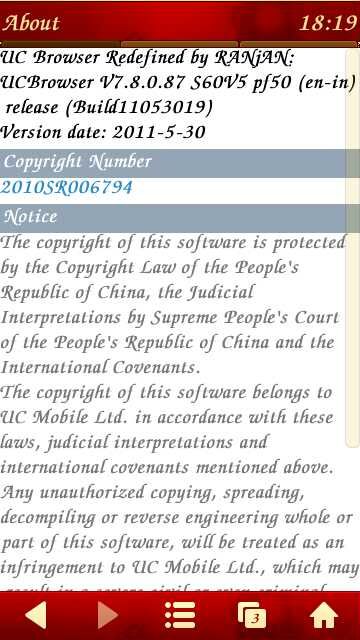
UC Browser 7.8 Final Java S60v3 S60v5 S Symbian^3 Unofficial Full Eng

UCBROWSER 7.8UC BROWSER 7.8


UC browser (Ucweb) technology was developed by UC as a superiormobilebrowser to support WEB, WAP page views, fast and stable, page layout and beautiful; with site navigation, search,downloads, personal data management capabilities, you can at any time UC browser via wireless surf the Internet in their pocket and enjoy high quality mobile life!

* New features and optimized*
Page load speed optimization (30% increase)
Support the background color setting (set in the configuration needed in the system)
Support the right close the window
And exit to save the current page and clean browsing history
Support offline download, import, including: save the image, save target as, web page file to download, wap download executable files straight page
Move the mouse model more efficient, more precise positioning
Touch screen mobile phone plan optimization, plan more fluid screen

Java:
UC Browser-7.8.0.87-69-Build11053011 Indian Server
UC Browser-7.8.0.87-69-Build11053011 Indonesian Server
UC Browser-7.8.0.87-69-Build11053011 International Server

S60v3:
UCBrowser-v7.8.0.87-69-Build11053011 Indian Server
UCBrowser-v7.8.0.87-69-Build11053011 Indonesian Server
UCBrowser-v7.8.0.87-69-Build11053011 International Server


S60v5 S^3
UC Browser-v7.8-69-Build11053011 Indian Server
UC Browser-v7.8-69-Build11053011 Indonesian Server
UC Browser-v7.8-69-Build11053011 International Server

S^3 Apps And Games,symbian^3,symbianos9.x,Ucweb Section


View the Original article

Monday, April 4, 2011

India vs Sri Lanka ICC Cricket WC2011 Final Live

Live where both teams will struggle to win World Cup.

Schedule / Fixture Here.

Security Forces Preparation (Photos)
To watch ICC Cricket World Cup 2011 Live Streaming for free in HD click on below channel links and enjoy.


View the Original article

Tuesday, March 29, 2011

TTPod 2011 v.4.0 Final S60v5 S^3 English Fix by Léo Symbian


Final version of powerful music player!


Key features:


# Full support for S^3 and S60v5 devices
# Special interface for control using touch screen
# Supported formats: MP3, AAC, WMA and M4A
# Built-in equalizer
# Sound fade, stereo widening and bass boost effects
# Support for skins and visual effects
# Ability to download songs, album covers and lyrics
# Online access to music charts
# Sleep timer
# Mini-player in background mode
and many more features...

What's new:


# New touch-screen interface design
# New image decoder, support all formats of built-in images
# More smoother volume control
# New icons style, more better and convenient
# Easy switching songs by shaking the phone
# Ability to stop playback after disconnecting headphones
# Increased Feedback function
# Support JPG images as splash screen
# Increased support for Symbian^3 devices

Notes/fixes:


# In the Player still have Chinese characters (99% translated).
# The musical information is not displayed, only by clicking "Edit" you can view the song information.
# Sleep Time with all functions working.
# App Unsigned
# Patch included.


Download Here

View the Original article

Disclaimer: *------ All downloads provided here are hosted on other websites present over the Internet. We don't host any download. We just provide links to these downloads that are hosted on some third party website which in turn may be linked to some other website(s) on the Internet. We don't have any association with these websites and we no way support illegal material. If you have any concern, contact me at here Your request going to process within 24h .-----*
*----- We display ads from advertising companies like Google Adsense. These sites on our behalf may endorse cookies on your system and may collect information such as your ip address for their own purposes. It is our responsibility to make you aware of our's this act. -----*

Terms of use and Privacy Policy